Free Online Stopwatch with Lap Times
A stopwatch is one of the most fundamental and versatile measurement tools in existence. Unlike a countdown timer that works from a preset value toward zero, a stopwatch starts at zero and measures how much time has elapsed. This simple difference makes it the right tool whenever you want to measure performance, record actual durations, or understand how long real-world tasks take.
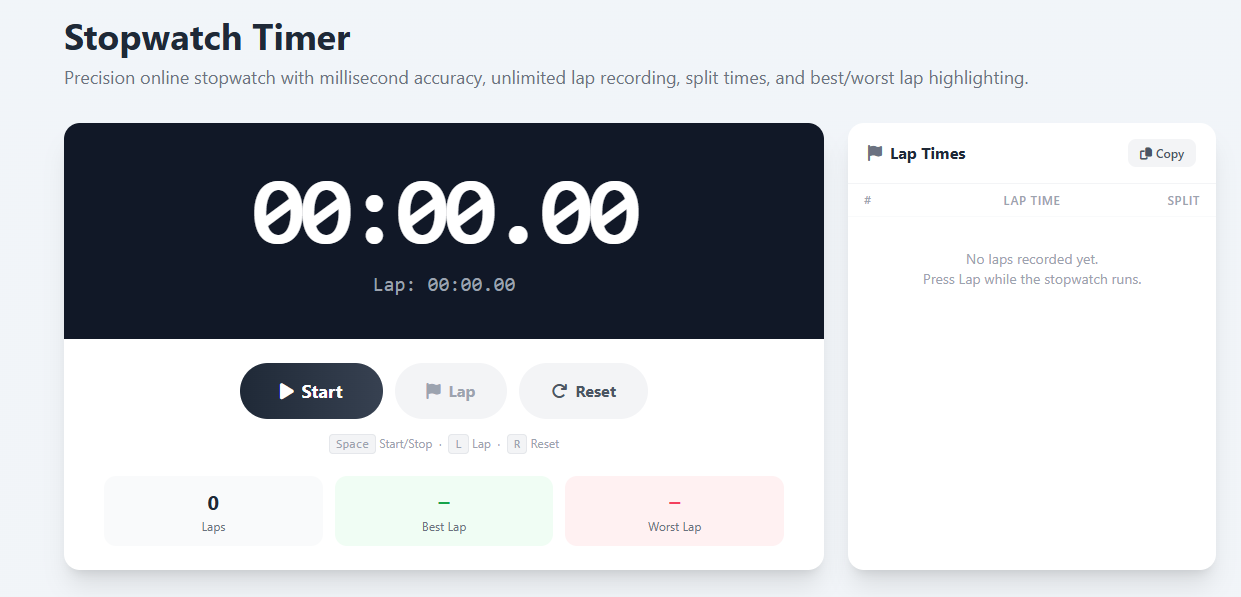
This free online stopwatch features millisecond precision using the browser's high-resolution performance timer. The display updates every 10 milliseconds, giving you a smooth centisecond readout alongside minutes and seconds. Lap times allow you to record intermediate measurements without stopping the overall clock — perfect for tracking individual laps on a track, timing rounds in a game, or measuring segments of a workflow.
Lap Times vs. Split Times — What's the Difference?
This is a distinction that matters in sports and performance measurement. A lap time is the duration of a single segment — how long it took you to complete that specific lap, round, or interval. A split time is the cumulative elapsed time from the very start to the end of that segment. Both columns appear in the lap table above.
For example, if you are running three laps and your lap times are 1:45, 1:52, and 1:48, your splits would be 1:45, 3:37, and 5:25. The lap times tell you your pace for each individual lap; the splits tell you where you were in the total race at each checkpoint. Professional coaches use both metrics together to analyze pacing strategy, fatigue curves, and consistency.
Best and Worst Lap Highlighting
After recording at least two laps, this stopwatch automatically identifies and highlights your best lap (fastest time, shown in green) and worst lap (slowest time, shown in red). This visual feedback is immediately useful: in athletic training, a large gap between your best and worst laps signals inconsistent pacing, a fatigue problem, or an execution issue. In productivity work, it reveals which task segments are taking unexpectedly long and where optimization is most valuable.
When to Use a Stopwatch vs. a Countdown Timer
Use a stopwatch when you want to measure elapsed time — athletic performance, task duration, cooking actual times for future reference, or benchmarking any repeatable process. Use a countdown timer when you want to impose a deadline or create urgency — the Countdown Clock Timer handles any custom duration. For structured productivity work, the 25 Minute Timer or Pomodoro Timer provides the focused session structure. For HIIT and sports interval training, the Exercise Timer automatically alternates between work and rest phases.