What Is a Countdown Clock Timer?
A countdown timer is a clock timer that begins at a specific time and counts down to one alerting you when time runs out. A countdown timer, in contrast to a stopwatch which merely counts the passed time, sets a deadline in a tangible form - and it is that mental point of contact that causes it to be one of the most effective concentration tools of all.
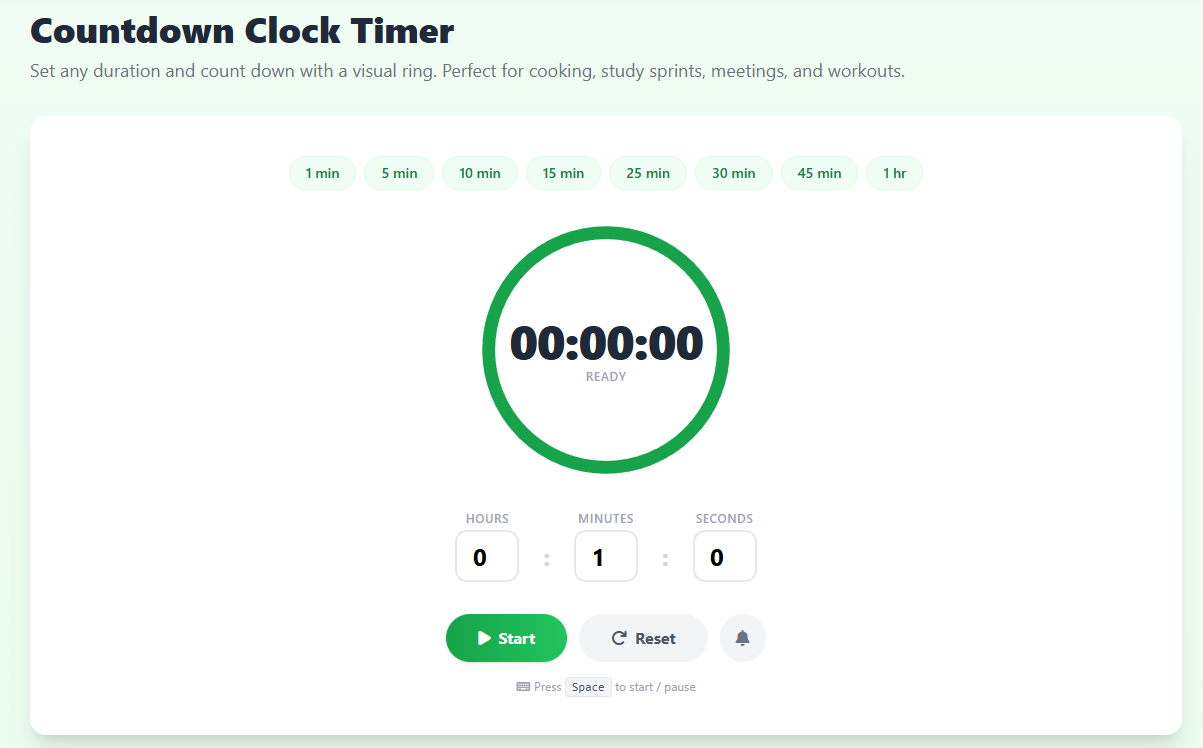
Our online countdown clock timer is completely free to use, and it does not need any form of installation, account, or any fee. Enter any number of hours, minutes, and seconds coined up - or - tap a quick preset and press Start. The animated SVG ring decreases in size and this provides you with an intuitive pointer on the available time without making you look at numbers.
The Psychology of Countdown Timers
According to the Law of Parkinson, the task of a job will always increase in duration to match how much time can be dedicated towards it. A timer that is running shortens that window to the specific desired length, and this forces your brain to make priorities, brutally. The time pressure research constantly shows that the perceived deadlines that are self-imposed make the procrastination significantly smaller and the quality of output significantly better even in the cases when the deadline is fake.
This effect is enhanced by the visual ring which, according to psychologists, is known as the goal-gradient effect: the smaller the ring is, the closer to the finish line he/she feels, and the more motivated he/she becomes. On a 25minute countdown, you will work more in the last five minutes than you would have done without it.
Why Use a Digital Countdown Clock
Countdowns that are digital generate a positive pressure that is useful in defeating procrastination. Once you can see time physically elapsing it is as though your brain shifts to the active execution rather than passive planning. This works best when it comes to tasks that only take a short period of time such as a 5 Minute Timer of tidy up in a hurry or a 10 Minute Timer of email triage. To use more productive longer and structured sessions, we suggest our Pomodoro Timer that will automatically arrange your rest time.
In addition to day to day activities, countdown clocks are also needed in event preparation. It can be the number of seconds until a Birthday or the New Year, but it still keeps the anticipation going with the use of a vivid display. In the classroom setting when a group of students needs to view the remaining time, our special Classroom Timer has a high-visibility interface that is ideal in group activities.
To have a systematic work-break cycle, refer to our Pomodoro Timer or the 25 Minute Timer. As an alternative, to time something, our Stopwatch Timer counts upwards with lap support.
Getting the Most from This Countdown Timer
You must dedicate yourself to one task beforehand. Name it in the mind or write down. Select your time next, 25 minutes of focused reading, 45 minutes of writing sprint or any time that works best with your workflow. Click Start or press Spacebar and shut down all unnecessary tabs. Upon firing of the alarm, pause immediately, in mid sentence, this will condition your brain to heed the alarm.
With time, your estimation of time will be very accurate as you keep on using the countdown timer. You will begin to instinctively understand how much you can get done in 20, 30 or 60 minutes one of the most useful meta-skills in the knowledge work of the 21 st century.