
Online Alarm Clock

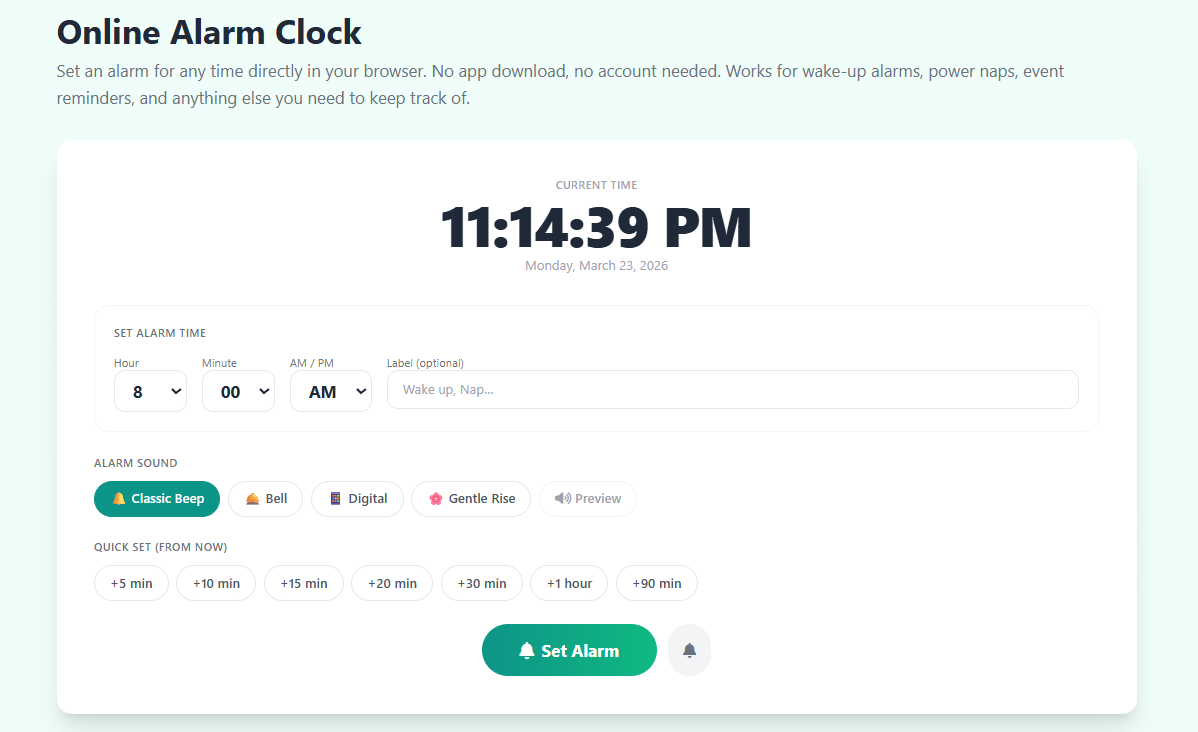
Set an alarm for any time directly in your browser. No app download, no account needed. Works for wake-up alarms, power naps, event reminders, and anything else you need to keep track of.

Current Time

00:00:00

Set Alarm Time

Alarm Sound

Quick Set (from now)

Common Uses for an Online Alarm Clock

😴
Power Nap
+20 minutes
The optimal nap length for alertness
🌙
Full Sleep Cycle
+90 minutes
One complete 90-min sleep cycle
🍅
Pomodoro Block
+25 minutes
One focus session reminder
📅
Meeting Reminder
+60 minutes
Don't miss your next meeting
🍲
Cooking Timer
+30 minutes
Casserole, stew, or oven meals
🧘
Meditation End
+10 minutes
Close eyes, alarm ends the session
💊
Medication Reminder
Custom time
Set exact time for your dose
Break Reminder
+15 minutes
Step away, stretch, hydrate
Share: Facebook X WhatsApp LinkedIn Reddit

Why Use an Online Alarm Clock Instead of Your Phone?

Most of us grab our phone the moment an alarm goes off — and then spend the next 15 minutes scrolling social media instead of getting up. An online alarm clock solves the problem by keeping time management where your work already lives: your computer. If you're working at a desk, studying, or monitoring something on your browser, a browser-based alarm means you don't need to pick up your phone at all. It rings right where you are, for exactly the purpose you need.

Browser alarms are also useful in situations where a phone is inappropriate — a classroom, a library, a recording studio, or a shared workspace. You can set an alarm to play quietly through your headphones without disturbing anyone around you. The browser runs the alarm even when you minimize the window or work in other applications, as long as the tab remains open.

The Science of Nap Timing: Why 20 Minutes Matters

Sleep science has established clear guidelines for productive napping that the online alarm clock makes easy to follow. A 10–20 minute nap, sometimes called a "power nap," allows you to enter light Stage 2 sleep — improving alertness, focus, and motor performance — without entering deep slow-wave sleep. If you sleep longer than 30 minutes, you risk sleep inertia: waking up in deep sleep and feeling groggy for 30–60 minutes afterwards, which defeats the purpose of the nap entirely. Set a 20-minute alarm before you close your eyes and wake up refreshed rather than foggy.

Using Alarm Clock Reminders for Productivity

Many people find that time-boxing tasks with a specific alarm creates more urgency than an open-ended timer. Instead of setting a "30-minute countdown," setting an alarm for a specific time — "work until 3:15 PM" — connects the task to your actual schedule and reduces procrastination. For structured work/break cycles, combine the alarm clock with our Pomodoro Timer. For tracking elapsed time during tasks, our Stopwatch Timer is your best companion. For precise countdown to a specific duration, use our 15 Minute Timer or any of our fixed-duration timers.
Online Alarm Clock

Related Timer Tools

Frequently Asked Questions

How do I set the alarm?

Use the hour, minute, and AM/PM dropdowns to set your target alarm time. Optionally add a label (like "Wake up" or "Meeting"). Choose your alarm sound, then press Set Alarm. The alarm status panel will confirm your alarm time and count down to it. Keep this browser tab open for the alarm to fire.

What does "Quick Set" do?

Quick Set automatically calculates the alarm time by adding the specified minutes to the current time. Click "+20 min" and the alarm time fields update instantly to 20 minutes from now. This is the fastest way to set a power nap or break timer without manually calculating what time it will be.

Will the alarm work if I minimize my browser?

Yes. The alarm will fire even when your browser window is minimized, as long as the tab stays open and your computer is awake. Most desktop browsers continue running JavaScript in background tabs. The alarm sound and browser notification will both activate. On mobile, some browsers suspend background tabs — for critical alarms, keep your screen on or use your phone's built-in alarm app as a backup.

What is snooze and how long does it last?

Snooze stops the current alarm and reschedules it for 5 minutes from now — exactly like a physical alarm clock. You can snooze multiple times. Click Dismiss to permanently stop the alarm and prevent it from ringing again.

Is this online alarm clock free?

Yes, completely free. No account, no app download, no subscription. Works in any browser on desktop, tablet, or mobile. Set your alarm and close the settings — the alarm will ring when the time comes.