Why Every Student Needs a Dedicated Exam Timer
Time management is consistently ranked as one of the most important skills in standardized testing. Students who perform well on exams like the SAT, ACT, GRE, GMAT, LSAT, and MCAT share a common trait: they have practiced extensively with timed conditions. The knowledge required to answer exam questions is only half the battle. The other half is executing that knowledge efficiently under time pressure, without freezing, spending too long on any single question, or running out of time before completing all sections. A reliable exam countdown timer is the tool that bridges the gap between knowing the material and performing on test day.
How Timed Practice Changes Your Performance
Neuroscience research on performance under pressure confirms that the brain responds very differently to novel stress conditions compared to familiar ones. A student who has never practiced with a countdown timer running will experience a surge of cortisol when they see the clock ticking in a real exam environment, which measurably impairs working memory and analytical processing. A student who has completed dozens of timed practice sessions builds familiarity with that exact pressure, training the brain to treat the ticking clock as a normal, manageable feature of the task rather than a source of anxiety. Using this free exam timer for regular timed practice sessions is therefore not just convenient — it is neurologically beneficial.
Exam Timer Settings for Major Standardized Tests
Different standardized tests have different section timings, and your practice sessions should mirror these precisely. The SAT Reading section allows 65 minutes, while the Writing section is 35 minutes and Math sections are 25 or 55 minutes. The GRE allows 30 minutes per Verbal Reasoning section and 35 minutes per Quantitative Reasoning section. GMAT sections vary from 45 to 62 minutes. LSAT sections are 35 minutes each. Use the custom time input on this exam timer to set the exact duration for each practice section, and practice each section independently before attempting full-length simulations. After completing a timed section, use our Study Timer to structure your review of answers and analysis of mistakes.
The Color-Warning System Explained
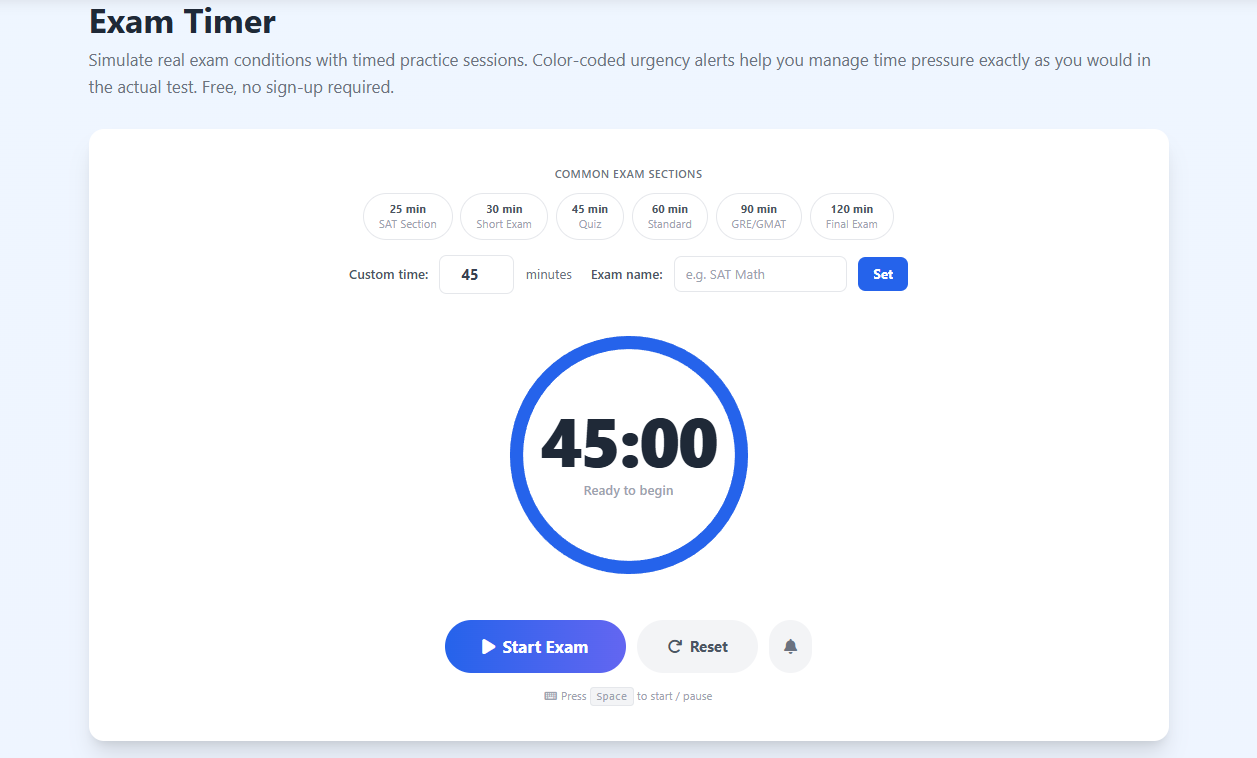
This exam timer uses a three-color system to mirror the time awareness that experienced test-takers develop naturally. When the ring is blue, you are in the safe zone — proceed at a normal pace. When the ring shifts to amber, you have used approximately seventy-five percent of your time and should begin prioritizing unanswered questions over perfecting answered ones. When the ring turns red and begins pulsing, you are in the final five minutes — stop attempting new questions from scratch and focus entirely on filling every unanswered item with your best guess. This protocol, practiced repeatedly with the exam timer, becomes automatic by test day, allowing you to manage time without conscious effort.
Using the Exam Timer in Classroom Settings
Teachers administering in-class quizzes, unit tests, and essay exams can use this exam countdown timer on a projector or shared screen to give students a constant, visible reference for remaining time. Unlike a wall clock, a countdown from a specific start point is psychologically simpler for students to interpret — instead of calculating how many minutes remain, they can see the exact time left at a glance. The color transitions from blue to amber to red give the entire class a shared temporal reference without the teacher needing to make verbal time announcements. For dedicated classroom timer features including visual countdown displays, also see our Classroom Timer.
Building a Comprehensive Exam Preparation Routine
The most effective exam preparation combines content review with timed practice in a structured routine. Use the Pomodoro Timer for focused study sessions — twenty-five minutes of content review followed by a five-minute break — during the content mastery phase of preparation. Once you have built a solid knowledge foundation, transition to daily timed practice sessions using this exam timer, gradually increasing the difficulty and length of your practice as the test date approaches. In the final week, use full-length timed simulations to peak your performance. Throughout this entire process, you are building both knowledge and time management stamina simultaneously, which is the formula that top test-prep programs use.
Managing Exam Anxiety with Timed Practice
Exam anxiety affects a large proportion of students across every level of education. One of its most powerful triggers is uncertainty about time — the fear of running out of time before finishing, or of being so focused on time that concentration on content is compromised. Systematic timed practice with a consistent exam timer neutralizes this specific anxiety source through desensitization. After completing fifty timed practice sessions under realistic conditions, the ticking clock no longer registers as threatening — it becomes simply information. Students who regularly use timed practice tools report significantly reduced test anxiety on exam day and consistently higher performance relative to their untimed practice scores.