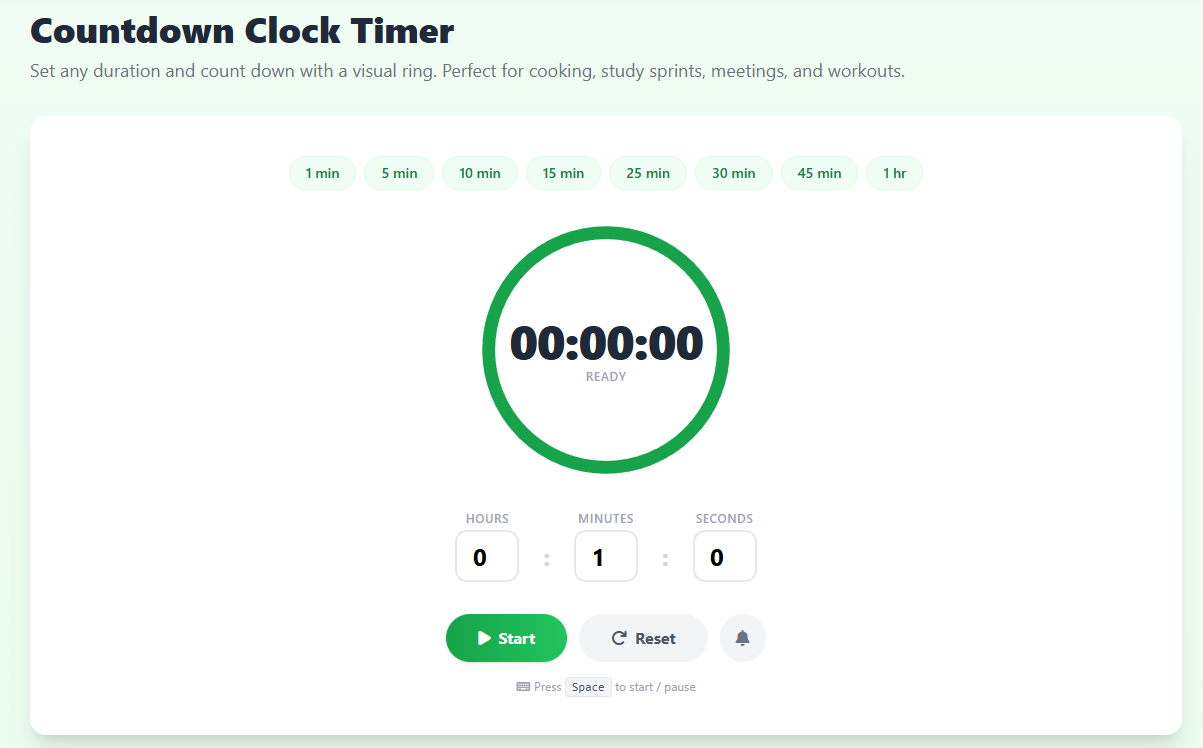
What Is a Countdown Clock Timer?
A countdown clock timer starts at a set duration and works its way down to zero, alerting you the moment time expires. Unlike a stopwatch that simply records elapsed time, a countdown timer creates a concrete deadline — and that psychological boundary is exactly what makes it one of the most powerful focus tools available.
Our free online countdown clock timer runs entirely in your browser with no installation, account, or fee required. Type any combination of hours, minutes, and seconds — or tap a quick preset — and press Start. The animated SVG ring shrinks steadily, giving you an intuitive visual signal of remaining time without forcing you to stare at numbers.
The Psychology Behind Countdown Timers
Parkinson's Law states that work expands to fill the time available for its completion. A running countdown compresses that available window to exactly what you choose, pushing your brain to prioritise ruthlessly. Researchers studying time pressure consistently find that self-imposed deadlines reduce procrastination and sharpen output quality — even when the deadline is artificial.
The visual ring amplifies this effect through what psychologists call the goal-gradient effect: as the ring shrinks toward zero, perceived proximity to the finish line increases motivation. You work harder in the final five minutes of a 25-minute countdown than you would have without one.
Best Uses for a Countdown Clock Timer
The most popular use case is the Pomodoro Technique — 25-minute focused work sessions followed by 5-minute breaks. But countdown timers are equally valuable for cooking (12 minutes for perfect pasta), fitness (90-second rest between sets), classroom management (5-minute discussion windows), meeting facilitation (10 minutes per agenda item), and creative work sprints.
For a structured work-break cycle, see our Pomodoro Timer or the 25 Minute Timer. To measure elapsed time instead, our Stopwatch Timer counts upward with lap support.
How to Use This Countdown Timer Effectively
Before starting, commit to a single task. Name it mentally or write it down. Then choose your duration — 25 minutes for focused reading, 45 minutes for a writing sprint, or a custom time that fits your workflow. Click Start or press Spacebar and close all non-essential tabs. When the alarm fires, stop immediately even mid-sentence — this trains your brain to respect the signal.
Over time, repeated use of a countdown timer dramatically improves your time estimation accuracy. You will start to instinctively know how much you can accomplish in 20, 30, or 60 minutes — one of the most valuable meta-skills in modern knowledge work.